
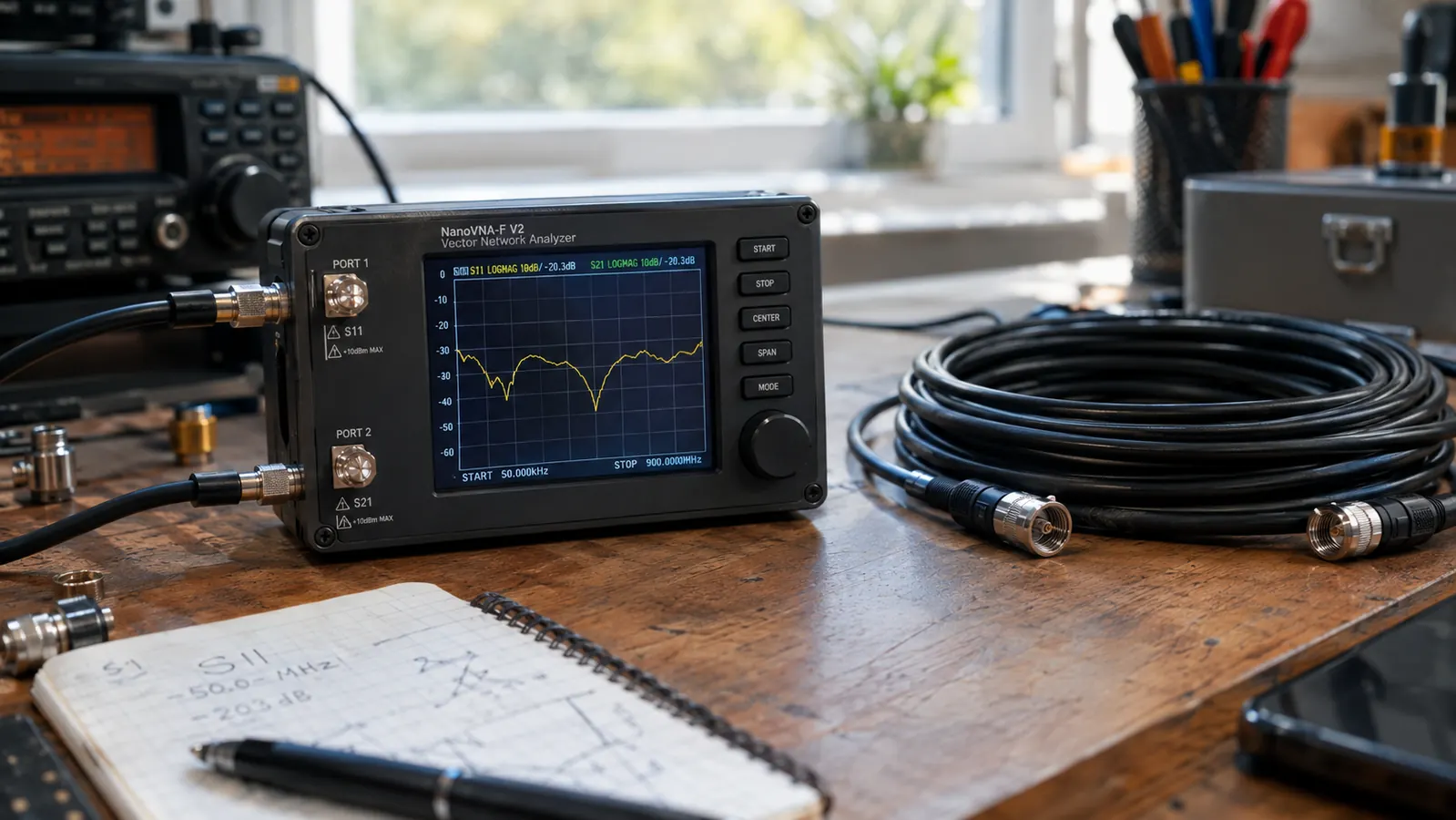
If you tune antennas for a hobby, you have probably stared at the same two numbers I stared at for years: forward power and reflected power. A cheap meter tells you those two numbers and little else. My old setup worked, but it worked blind. When I rebuilt my station about two years ago, I finally bought the AURSINC NanoVNA-H, and it changed how I think about every antenna on my property.
This is not a lab instrument and AURSINC does not pretend it is. It is a pocket-sized vector network analyzer that costs a fraction of what a bench-grade unit runs, and it measures things my old meter could not show me at all. I have used mine on the F-150 antenna, on the wire antenna out back, and on a handful of friends' antennas. Here is what two years of real use looks like.
The Quick Verdict
For a fraction of a bench-grade analyzer, you get a device that can show you SWR, resonance, and cable faults across the whole HF and VHF range. It has quirks, the biggest being that it is not a calibrated power meter, but for tuning antennas it is the best value on my bench.
Amazon Check Today's Price →Tired of tuning antennas in the dark?
The AURSINC NanoVNA-H puts a swept display of your whole antenna system on a screen smaller than a paperback. I have used mine for two years on every antenna I own.
Amazon Check Today's Price on Amazon →How I've Used It
My station is a corner of the spare bedroom. The antenna lead runs out through the window to a wire antenna in the backyard, and the F-150 carries a VFAN dual-band magnet-mount on the cab roof feeding an AnyTone AT-778UVII. Before the NanoVNA-H, tuning meant keying up and watching a needle. After I bought it, I started sweeping the whole band and looking at the actual curve.
The first job I gave it was the VFAN on the truck. I parked the F-150 in the driveway, ran a short jumper from the antenna feed point to the NanoVNA-H, and swept 144 to 148 MHz. The display showed me a dip in the SWR curve right where the repeater I use most sits. That dip told me the antenna was resonant where it should be. Then I did the same sweep on the backyard wire, found the resonant dip sitting about 80 kHz off where I wanted it, and trimmed the wire. That one adjustment took maybe twenty minutes and made a real difference in how the station antenna behaves.
The first time I did that sweep, I forgot to run the calibration routine first. The curve looked like a comb, with dips and spikes every few hundred kilohertz, and for an hour I was convinced the antenna was broken. Then I remembered the open, short, and load standards sitting in the pouch, ran the calibration, and the same antenna showed a clean single dip. That is the lesson everyone learns once: on this device, calibration is not optional.
Two years in, the NanoVNA-H lives on the bench next to the Tekpower TP30SWI power supply. It is the first thing I grab when an antenna stops behaving, and it has saved me from at least one bad cable. A friend's feed line showed a perfectly flat SWR curve no matter what antenna I put on it, which told me the problem was the cable, not the antenna. That friend had already replaced the antenna twice and was about to buy a third. I helped him pull the feed line, and we found it pinched flat under a gate where a truck had driven over it. That is the kind of diagnosis a plain SWR meter cannot give you.
During storm season, I use it differently. Joan keeps a handheld on the kitchen counter, and I want the backyard wire working its best before the power goes out. A few days before the first cold front last fall, I swept the wire and found the dip had drifted about 30 kHz from where I set it the spring before. A little rain had gotten into the center insulator and changed the electrical length. I dried it out, resealed it, and the dip came back. That is the kind of slow drift you would never catch with a needle.
What the NanoVNA-H Actually Measures
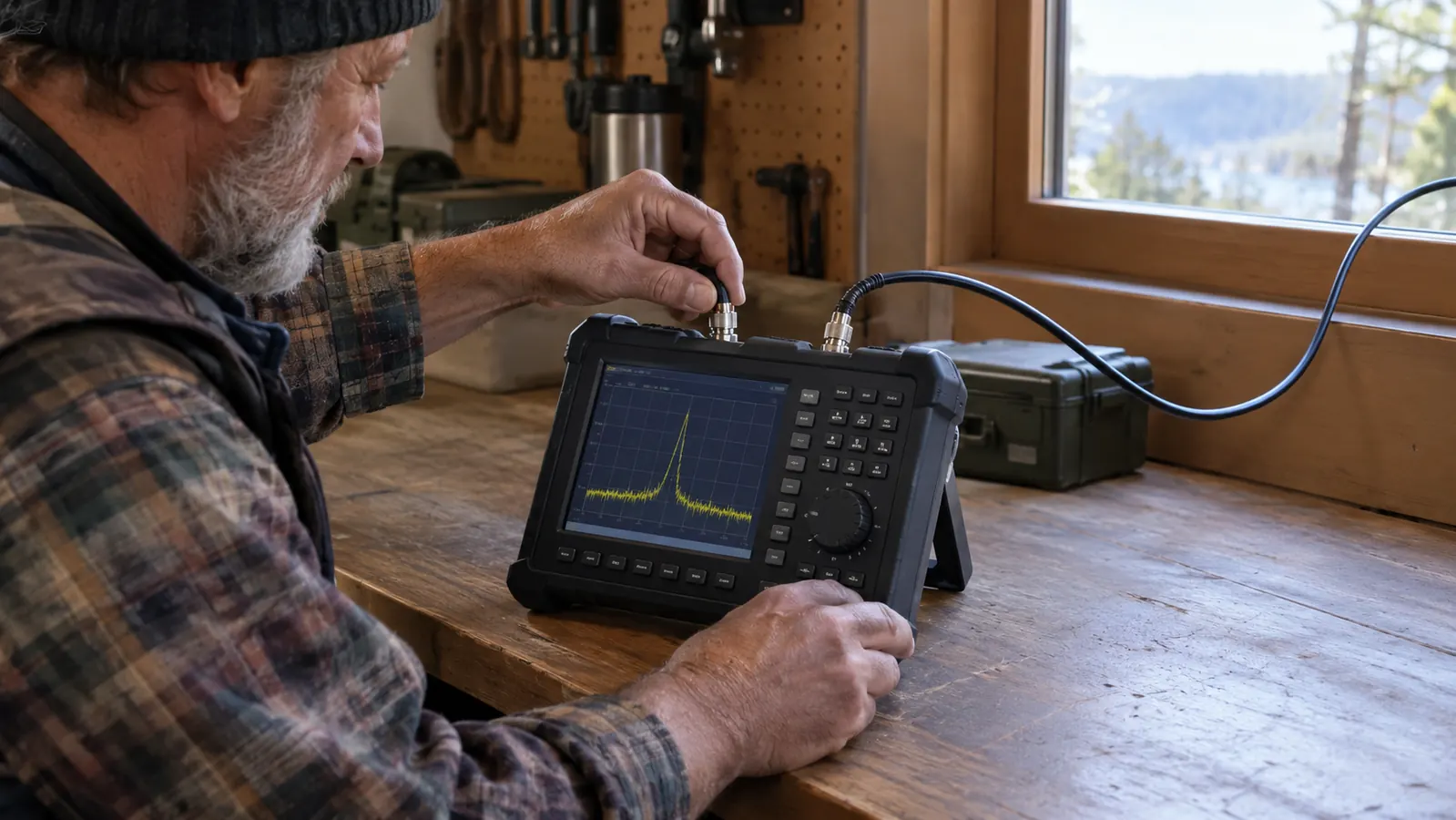
A vector network analyzer measures how a device under test reflects and transmits signals across a range of frequencies. The NanoVNA-H covers 9 kHz to 1.5 GHz, which for a ham means HF, VHF, and UHF. It sweeps a frequency range and plots the return loss, which is the technical cousin of SWR. Lower return loss in the right place means the antenna is resonant and the radio is happy.
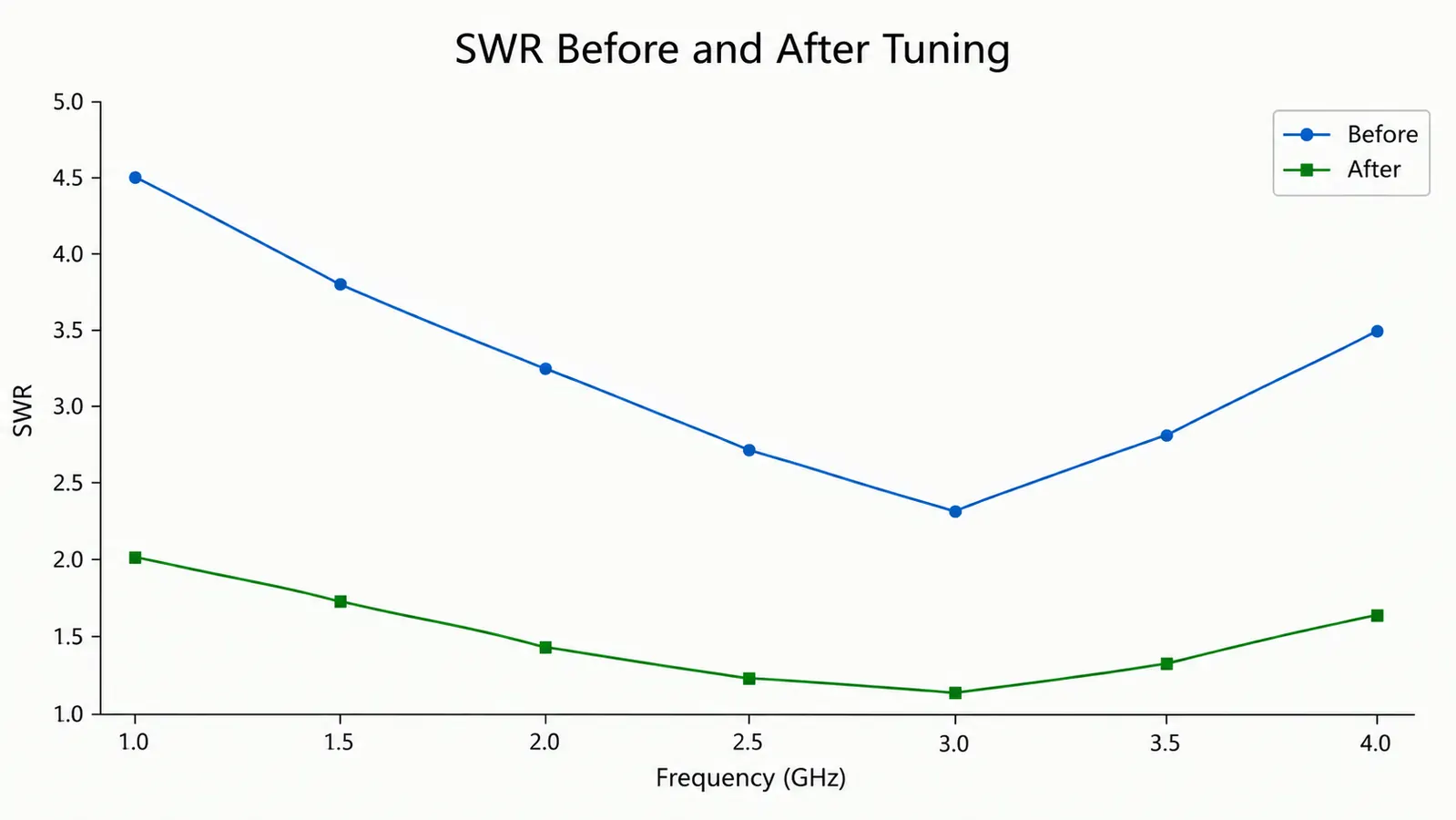
The practical payoff is that you see a curve instead of a single number. My old meter said SWR 1.6 at one frequency and left me guessing whether 1.6 was the best this antenna could do. The NanoVNA-H shows me the whole sweep in seconds, so I can see whether the dip is centered on my favorite repeater frequency or off to the side. On the VFAN, the dip sat about 15 kHz low, which explained why the mobile radio always seemed to hear better on the repeater input than the output. I trimmed the mount location and brought the dip back to center. That single difference changed how I tune everything.
It also measures cable length in a rough way, lets you look at the Smith chart if you are that kind of person, and can generate a signal for testing. I use about a third of its features. The other two thirds are there when I need them, and on a few late nights they have been exactly what I needed. One night I used the signal generator mode to feed a steady tone into a friend's receiver while he adjusted his squelch. It beat shouting into a handheld from across the yard.
Reading the display takes a little practice. The important number is the return loss at the bottom of the dip. A good resonant antenna on 2 meters shows a return loss of 15 dB or better at the frequency you care about. That translates to an SWR of about 1.5 or lower. If the bottom of the dip is shallow, say 6 dB, the antenna is working but not happy. If there is no dip at all, something between the analyzer and the antenna is wrong. That is the diagnostic that makes the whole device worth having.
One caution: the NanoVNA-H measures the antenna system, not just the antenna. The feed line, the connectors, the ground, and the mounting all show up in the curve. That sounds like a drawback, but it is actually the point. When the curve looks wrong, you start checking things in order, and the analyzer gives you a reason to check the cable before you climb a tower. I have talked three friends through that process, and in every case the problem was below the antenna.
What Holds Up After Two Years
The battery is the first thing I expected to fail, and it has not. The NanoVNA-H charges over USB-C and still holds enough charge for a full afternoon of sweeping. I have left it in the truck for a week in July and found it still showing three bars when I came back. The screen is small but readable, and the touch interface, which I was skeptical about, has been reliable. The SMA connector on mine still feels solid after two years of cables being screwed on and off.
The screen is the part I complain about most, and it is also the part I would not change. The display is a little over two inches diagonally, and the touch targets are small. I have big hands from thirty years of climbing poles, so I mostly use the rotary knob on the side. Once you learn the menu order, the knob is faster than the touchscreen anyway. The backlight is good enough to read in direct sun, which matters when you are out at the truck instead of at the bench.
The software situation is the real surprise. AURSINC ships the unit with the stock NanoVNA firmware, and the community firmware options are a genuine upgrade. I run a community build on mine and it added features the stock firmware does not have, including better calibration support and a cleaner way to save and recall sweeps. I have a folder of sweep files going back to the first week I owned it, which means I can compare what an antenna looked like last spring to what it looks like now. The fact that an inexpensive device has a thriving open-source ecosystem around it is a big part of why I still recommend it.
Calibration is the part that separates a useful session from a frustrating one. You have to do the calibration routine with the open, short, and load standards before a meaningful sweep. It takes about a minute once you have done it a few times. Skip it and the curves look plausible but wrong. That is not a flaw in the unit, it is a skill, and it is worth learning. I keep the three standards in the original pouch, and the pouch lives in the same drawer as the USB-C cable, so I never have to hunt for them.
The build quality has been better than I expected for what it is. The case is plastic but stiff, and the buttons have not gotten mushy. The one thing I wish it had is a cover for the SMA connector. Dust gets in when it sits on the bench, and I have learned to put a small cap on it after every session. That is a small fix, not a design failure.
Where It Falls Short
The biggest trap is treating the NanoVNA-H like a power meter. It is not calibrated for absolute power readings, so the amplitude numbers on screen are relative. If you need to know exactly how many watts your radio is putting out, you still need a wattmeter. I keep a separate meter for that job and use the NanoVNA-H for what it is actually good at: seeing the shape of the sweep.
The other annoyance is the connector. The NanoVNA-H uses an SMA connector, and most ham gear uses PL-259 or N connectors. You will need adapters, and cheap adapters add their own tiny errors to a measurement. I bought a decent set of adapters and a short jumper cable and left them attached to the unit, so the connection is consistent every time. The first time I used a bargain adapter, the sweep came back with a dip that was 2 MHz off from where it should have been. Swapping in a better adapter fixed it. Keep that in mind before you blame the antenna.
The screen is also small, and the touch targets are fiddly when you have big fingers or cold hands. I have learned to use the rotary knob for most navigation. And the stock firmware can be confusing until you learn where the calibration menu lives. None of these are deal breakers, but they are real and you should know them before you buy. If you are the kind of operator who likes to sit on the back porch and tinker, the small screen is a fair trade for a device that fits in a coat pocket.
The stock firmware is the steepest part of the learning curve. The menus are laid out like an engineer designed them for another engineer, and nothing is labeled in plain English. It took me a full evening to find the calibration menu the first time. The community firmware fixes a lot of that, but you have to be willing to flash it. If you are not comfortable updating firmware on a small device, you will be stuck with the stock menus, and you should know that going in.
There are also things this device simply will not do. It will not tell you your actual transmit power, it will not measure a live antenna while you are talking on it, and it will not log a sweep to a computer without a USB cable and some software. For my use, none of those matter. But if you are shopping for an all-in-one test tool, the NanoVNA-H is not that. It is a one-trick pony, and the trick is antenna tuning.
What I Liked
- Shows the whole SWR curve instead of one number, which changes how you tune antennas
- Covers HF, VHF, and UHF in a pocket-sized box
- Community firmware keeps adding features years after release
- Battery still holds a full afternoon of use after two years
- Costs a fraction of a bench-grade analyzer
Where It Falls Short
- Not calibrated for absolute power readings, so you still need a wattmeter
- SMA connector means you need adapters for most ham gear
- Small screen with fiddly touch targets
- Calibration routine is mandatory and easy to skip by accident
The NanoVNA-H showed me a flat SWR curve on a friend's feed line and told me the cable was bad before I ever pulled it down. That diagnosis alone paid for the unit.
Who This Is For
If you have more than one antenna, or one antenna you actually care about, the NanoVNA-H is for you. It is for the ham who wants to see the curve instead of trusting a needle. It is for the person who has replaced a feed line and wondered whether the new one is actually better. It is for the storm-season operator who wants the backyard wire antenna working its best before the power goes out, because when the repeaters are quiet, a well-tuned antenna is what gets you through.
Who Should Skip It
If you have a single dual-band handheld and a rubber duck, you do not need a vector network analyzer. The NanoVNA-H would sit in a drawer. If you want to know your exact transmit power, buy a wattmeter instead. And if you are not willing to learn the calibration routine, the curves it shows you will quietly lie, and a lie on a screen is worse than a needle you do not quite trust. This is a tool for people who enjoy the tuning part of the hobby.
See the whole antenna, not just one number
Two years in, the AURSINC NanoVNA-H is still the first tool I grab when an antenna misbehaves. If you are ready to see the full sweep instead of a single SWR reading, it is waiting on Amazon.
Amazon Check Today's Price on Amazon →